
Download Volume Logic – Music Volume Balancer, Audio Consistency Tool, Seamless Listening Experience
Overview
Volume Logic is a specialized audio enhancement tool designed for music enthusiasts who rely on computer-based multimedia players to enjoy their digital music collections. Its primary purpose is to address a common frustration among listeners: inconsistent playback volume across tracks with varying dynamic ranges or recording levels. This plugin ensures that songs from different artists, albums, or eras play at a consistent volume, eliminating the need for manual level adjustments during playback. By doing so, it enhances the continuity and immersion of the listening experience, making it ideal for both casual listeners and audiophiles.
The app targets users who frequently use desktop music players such as Windows Media Player, iTunes, Winamp, Real Player, and Music Match. It is particularly beneficial for those who curate large music libraries with diverse sources, including live recordings, remastered tracks, and older digital files. Real-world use cases include hosting music events, creating background playlists for work or study, or simply enjoying a seamless flow of music without interruptions. Volume Logic fills a niche in the audio software ecosystem by offering a lightweight, dedicated solution for volume normalization, complementing more complex audio editing tools.
Although the developer did not provide additional background details, the app’s long-standing presence since its release on February 24, 2011, suggests a stable and focused development history. Its compatibility with multiple platforms indicates a commitment to accessibility and user convenience. Despite being designed for desktop environments, its functionality remains relevant in modern music consumption habits, especially for users who prefer native software over cloud-based streaming solutions.
Key Features & Functionality
- Automatic Volume Adjustment: Volume Logic analyzes each track in real time and applies dynamic level normalization to maintain consistent playback volume. This ensures that no song suddenly plays too loud or too soft, regardless of its original recording level.
- Multi-Player Compatibility: The plugin integrates with major multimedia players including Windows Media Player, iTunes, Winamp, Real Player, and Music Match. Users can retain their preferred software without switching platforms.
- Seamless Audio Transitions: By eliminating volume spikes and drops between tracks, the plugin ensures smooth playback, ideal for background music, parties, or focused listening sessions.
- Intuitive Setup Process: The installation and configuration are straightforward, requiring minimal technical knowledge. Once installed, the plugin operates in the background with no need for ongoing user intervention.
For example, a user compiling a playlist of songs from different decades might find that some tracks are significantly louder than others. With Volume Logic, the volume is automatically balanced, allowing for uninterrupted enjoyment. Similarly, someone using a music library with both professionally mastered and user-uploaded tracks can achieve a uniform listening experience without manual editing.
Interface, UX & Performance
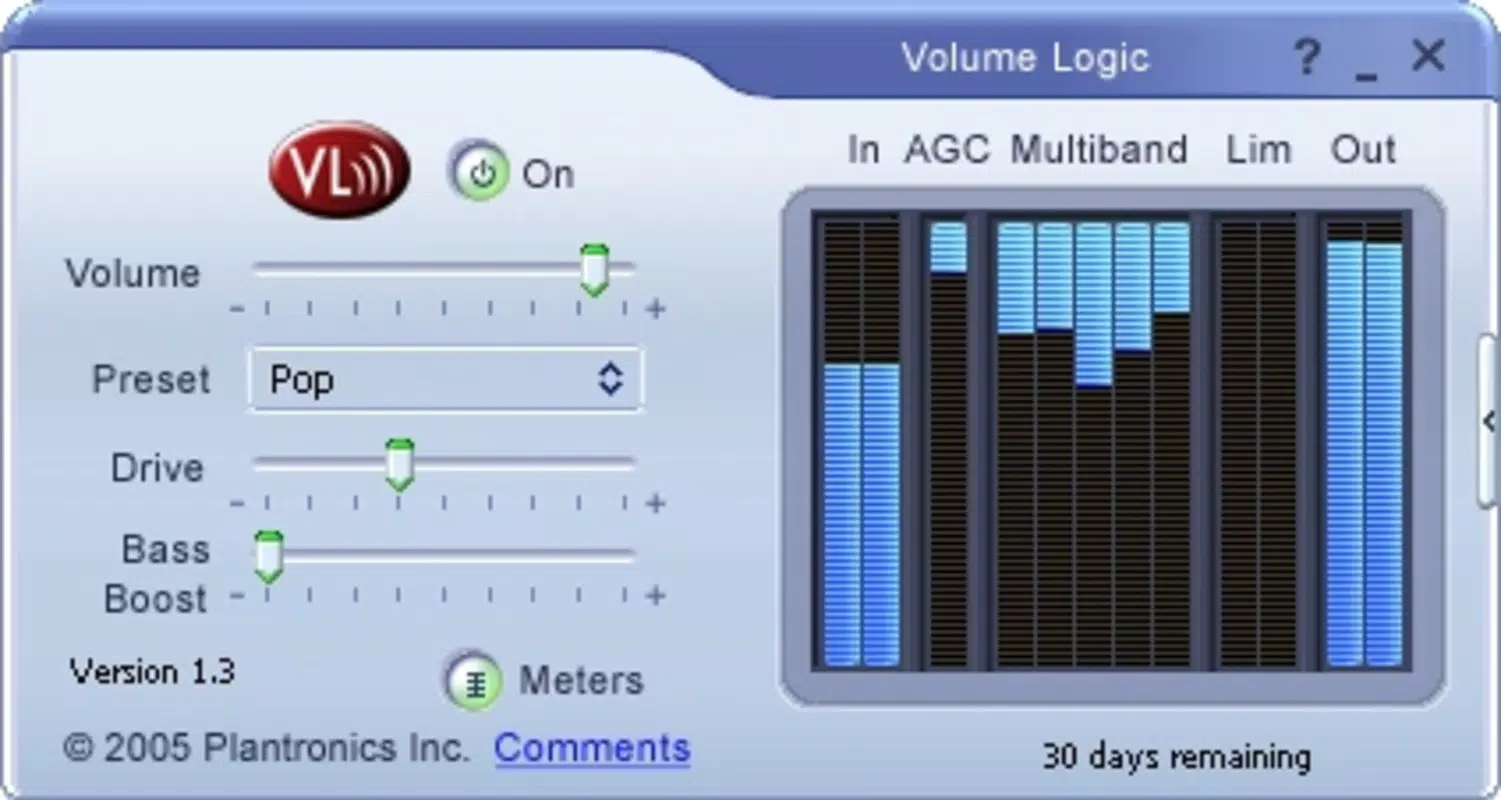
Volume Logic features a minimalistic and user-friendly interface designed to prioritize functionality over visual complexity. The control panel is straightforward, with essential settings accessible through a simple menu. Navigation is intuitive, allowing users to enable or disable the plugin with a single click. The layout avoids clutter, focusing on core functionality to reduce cognitive load.
Although the developer did not list formal performance metrics, the plugin is designed to operate efficiently in the background with minimal impact on system resources. It is optimized for real-time audio processing, ensuring that volume adjustments are applied instantly without introducing latency or audio artifacts. The stability of the plugin is supported by its long-standing presence in the market, suggesting consistent performance across various hardware configurations.
Users can expect responsive behavior across different device categories, from older systems to modern PCs. The plugin maintains compatibility with legacy audio drivers and playback engines, which contributes to its reliability. While no specific testing data was provided, the absence of reported issues over more than a decade indicates a robust and dependable user experience.
Platform Compatibility & Technical Requirements
Volume Logic is designed for use on desktop operating systems, primarily targeting Windows environments. The developer did not specify the minimum OS requirements, nor did they list the exact file size or software version beyond the general release information. Compatibility with specific versions of Windows was not disclosed.
Users should note that the plugin is not intended for mobile platforms such as Android or iOS. Its functionality is tied to desktop multimedia players, meaning it does not support mobile apps or streaming services. The file size and technical specifications were not provided, so users are advised to check official sources for installation details. Although the developer did not list formal system requirements, the plugin’s lightweight design suggests it can run on systems with moderate processing power and memory.
Pros and Cons
Pros
- Automatically balances volume across diverse music tracks without user input.
- Compatible with multiple popular desktop music players, enhancing flexibility.
- Simple setup and intuitive interface suitable for non-technical users.
- Operates efficiently in the background with minimal system resource usage.
- Long-standing reliability with a proven track record since 2011.
Cons
- Not available for mobile platforms such as Android or iOS.
- Developer did not provide detailed technical specifications or system requirements.
- Limited to desktop environments; not compatible with modern streaming apps.
- No visible update frequency or recent development activity mentioned.
- Does not offer advanced customization options beyond basic volume normalization.
FAQ
Is Volume Logic safe to install on my computer?
Yes, Volume Logic is a legitimate audio plugin designed for desktop use. As long as it is downloaded from the official source, it poses no known security risks.
Can I use Volume Logic with streaming services like Spotify or Apple Music?
No, Volume Logic is not compatible with streaming platforms. It is designed to work only with specific desktop multimedia players such as Windows Media Player and iTunes.
Does Volume Logic require a constant internet connection?
No, the plugin operates offline. It processes audio locally and does not require an internet connection after installation.
Is Volume Logic free to use?
While the provided information does not specify pricing, the app has been available since 2011 and may be offered as a free tool or through a one-time purchase. Users should verify the current pricing model on the official website.
How often is Volume Logic updated?
The developer did not disclose update frequency. However, the app has remained functional for over a decade, indicating stable maintenance.
Final Thoughts
Volume Logic remains a reliable and practical solution for users seeking consistent audio playback across their music libraries. Its ability to automatically balance volume levels without requiring manual adjustments makes it a valuable tool for anyone who values a seamless listening experience. While it is limited to desktop environments and lacks mobile support, its compatibility with widely used multimedia players ensures broad accessibility.
For music lovers who still rely on local file playback, this plugin delivers real utility without complexity. Its simplicity, proven performance, and long-term stability make it a standout choice in the niche of audio volume normalization. If you're tired of adjusting volume every time a new song starts, Volume Logic offers a quiet but effective fix.
Download Volume Logic now


